Cloud Settings
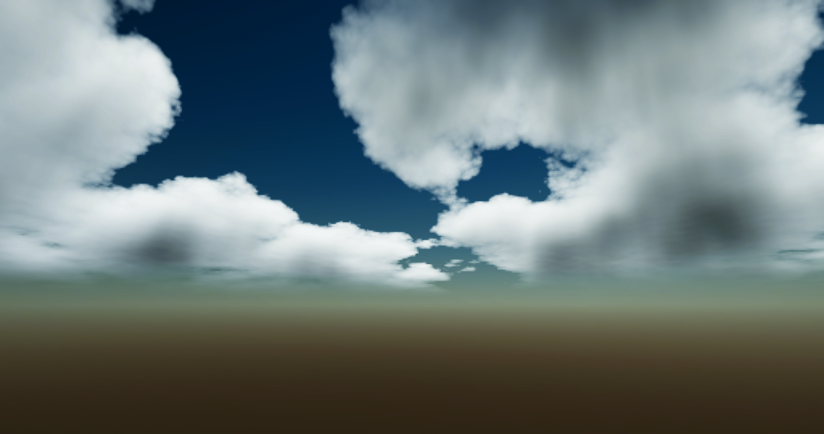
Clouds are a key element in creating a realistic and dynamic sky. They can add depth, atmosphere, and visual interest to your scenes.
Fast Sky 2 doesn't render clouds as physically accurate volumetrics, instead it uses a faster volume-approximation technique to render the clouds. This allows for a good balance between visual quality and performance, making it suitable for a wide range of platforms and devices.
Fast Sky 2 supports up to 4 distinct cloud layers.
Main Settings
Controls the overall rendering of all cloud layers.
| Property | Function |
|---|---|
| Fast Mode | Renders the clouds at a fixed resolution of 512x512 or less, depending on your screen size. This drastically improves performance with a very minimal quality tradeoff. |
| Banding Reduction | Allows you to use a lower number of lightmarch steps for better quality-performance balance and to eliminate banding artifacts(mostly visible during sun rise/set). When using BandingReduction.Dither, the cloud get jittered every frame, eliminating the banding artifacts. The jittering is usually not noticed but could be reducing by using Temporal Anti-aliasing(TAA) |
| Render Shadows | Enables the rendering of cloud shadows. You can control the area the cloud shadows by adding/using the FastSkySceneConfig component. This is a static and performance sensitive parameter. |
| Shadow Resolution | Cloud shadows resolution, lower values gives better performance with a minor quality tradeoff. This is a static and performance sensitive parameter. |
| Shadow Intensity | Controls the intensity of the cloud shadows. |
| Night Darken Factor | Controls the darkening of the clouds at night. |
| Night Absorption Multiplier | Controls the absorption of the clouds at night. |
| Night Opacity Multiplier | How much the clouds' opacity is multiplied at night. Clouds closer to the moon is less influenced by this value. |
| Forward Scattering | Light scattering coefficient. This is responsible for the bright, white appearance of clouds and the glare around the sun. |
Cloud Layer
Each cloud layer has its own settings that controls its appearance and movement. You can use different settings for each layer to create a more dynamic and interesting sky.
| Property | Function |
|---|---|
| Enabled | Controls the enable state of this cloud layer. This is a static and performance sensitive parameter. |
| Noise Type | The noise type used for this cloud layer. This is a static parameter. |
| 3D | Enables 3D sampling, which is a little more expensive but allows curvatures > 0.5 without stretching artifacts along the y-axis. This paramter is static performance sensitive, but is quite minimal. |
| Scale | Scale of the noise texture sampling. Higher values result in smaller clouds, lower values in larger cloud shapes. |
| Coverage | The coverage of the clouds. Higher values result in more clouds coverage, fewer for lower values. |
| Opacity | Controls the opacity / transparancy of this cloud layers. |
| Thickness | The thickness of the clouds. Higher values result in smoother cloud features, but requires higher lightmarch steps to look good. |
| Lightmarch Steps | The number of steps to use for lightmarching the clouds. Higher values prevents banding, but are more expensive to render. You can use the BandingReduction to minimize it. You should leave this value as 0 if you're rendering a flat cloud layer. This is parameter is performance sensitive |
| Absorption | The absorption/darkening of light as it travels through the cloud. |
| Absorption Spread | Spreads the absorption effect across the cloud's density. |
| Color | The color of the cloud layer. |
| Light Transmittance | How much this cloud layer is affected by the atmospheric scattering. Higher values result in reddish(depending on your extinction parameters) sunrise/sunset effect. |
| Curvature | Controls curvature of the clouds along the atmosphere. Higher values (0.5 - 0.6) results in stretching artifacts when not using 3D sampling. |
| Wind Vector | The direction and speed of the clouds. |
| Detail Scale | The scale of the detail noise. Higher values result in smaller details. |
| Detail Weight | The erosion strength of the detail noise. Higher values result in more details. |
| Detail Wind Speed | The speed of the detail noise movement relative to the 'WindVector' parameter. |
| Zenith Mask | Masks the clouds towards the zenith. |
| Horizon Mask | Masks the clouds towards the horizon. |
| Zenith Mask Blend | The blend distance/sharpness of the zenith mask. |
| Horizon Mask Blend | The blend distance/sharpness of the horizon mask. |
Noise Type
The noise type determines the look of the cloud shapes.
| Property | Function |
|---|---|
| Worley | Bubbly and distinct. |
| Billow | Much more bubbly and less distinct. |
| Perlin | Light and distinct. |
| Value | Dense and very distinct. |
NOTE
Distinct in this sense means clouds formations are physically separate from each other.